Themes
Themes
Plugins add features; themes control the look. Colors, type, even the shape of the header and article cards live together in one directory, and you switch between themes in the admin. Your articles and settings stay as they are; only the look changes.
Example themes
We publish demos built from the same sample articles, changing only the theme. Click an image to open its demo.
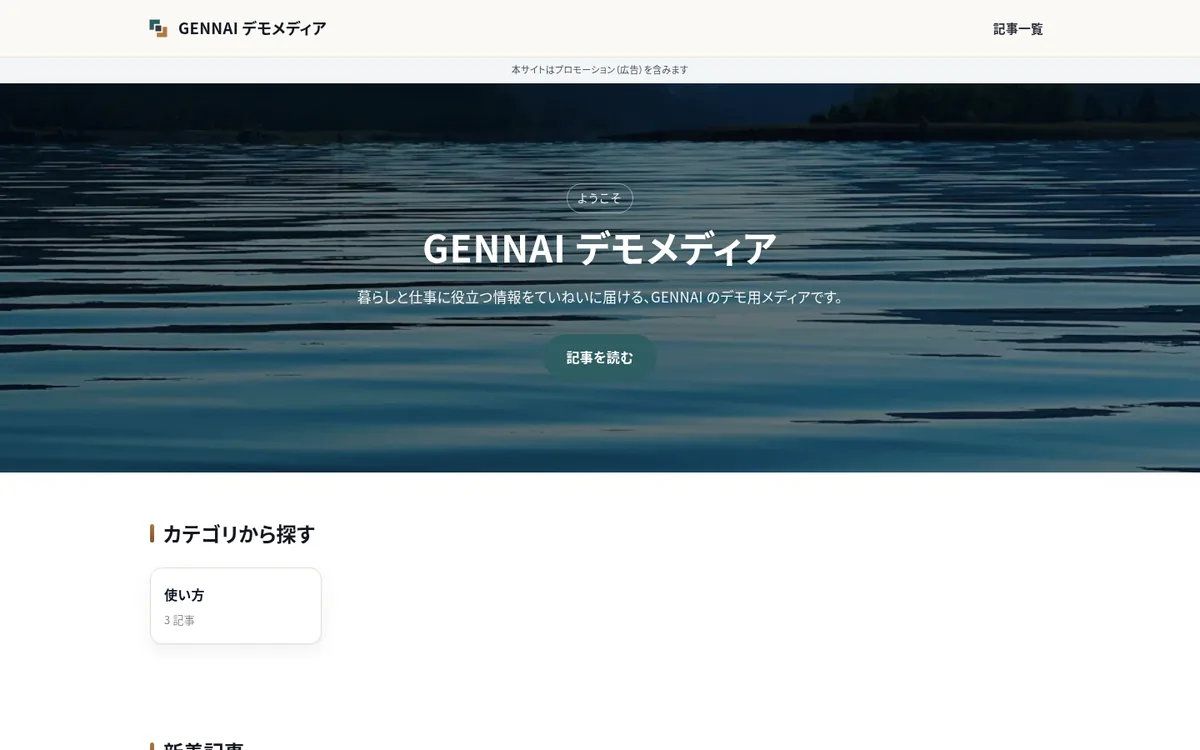
Paper & Wood
Ink-colored text on an unbleached-paper background, with wood-grain accents. Suited to calm, readable articles.
Open the demo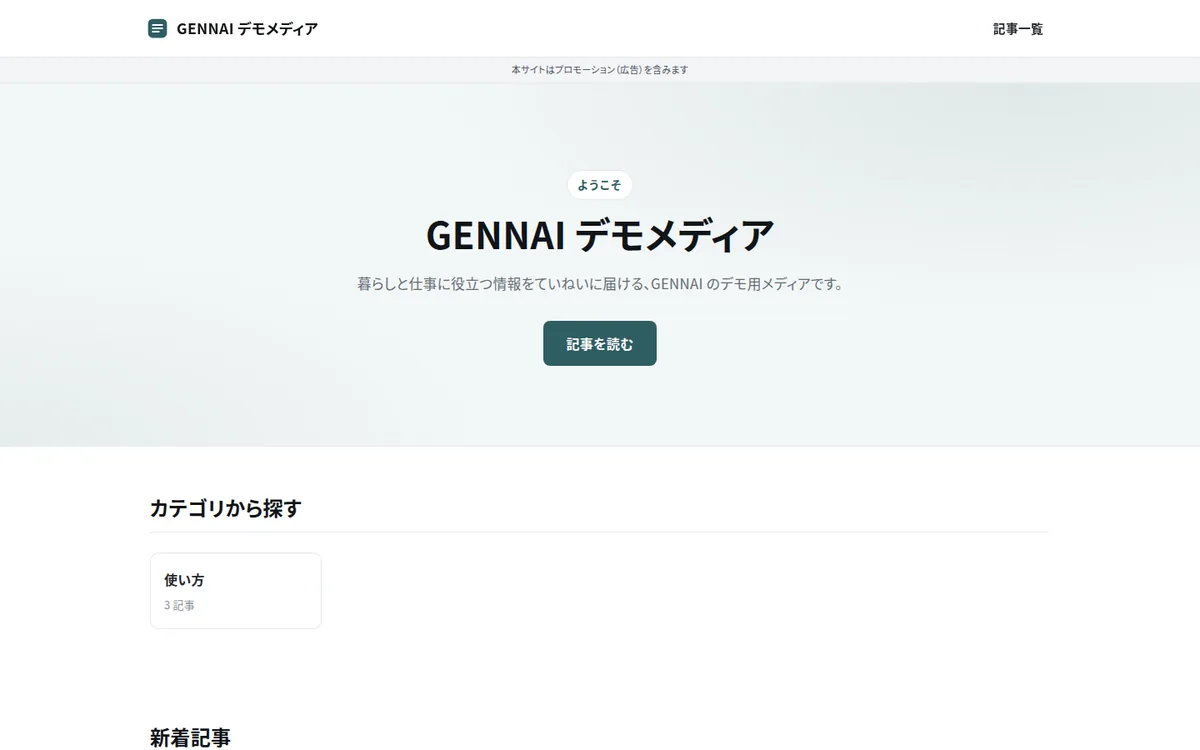
Simple
A general-purpose theme for any field: a white background, gray rules and sans-serif type only. Decoration is minimal, and a single brand color takes the lead.
Open the demo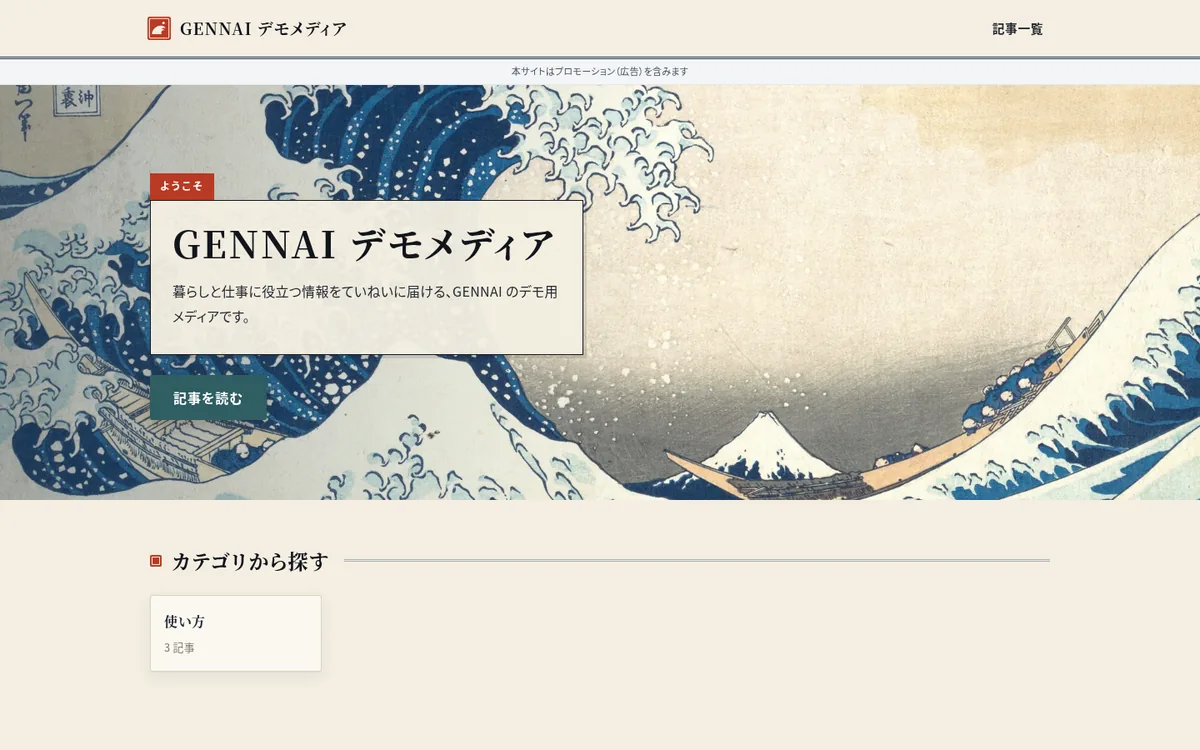
HOKUSAI (Indigo & Washi)
A theme inspired by Katsushika Hokusai's ukiyo-e: ink text on washi-colored paper, Prussian-blue accents with a vermilion seal, and seigaiha wave patterns. Headings are set in a serif (Mincho) face, and "The Great Wave off Kanagawa" spans the home page.
Open the demo
What's inside a theme
frontend/themes/my-theme/
├── theme.json      # id, name, version, parts to swap
├── tokens.css      # Design tokens: colors, spacing, typography
├── overrides.css   # Optional: CSS overrides for components
├── components/     # Optional: parts to swap
└── public/         # Optional: logo, OG image, favicon, etc.
Parts you can swap
Only the parts listed in theme.json are replaced by the theme; everything else uses the standard parts.
HeaderHeaderFooterFooterHomeHeroHome page heroPostCardArticle cardArticleSidebar / SidebarSidebar for article and list pagesPrDisclosureLook of the PR label (whether it shows is a site setting)
Works with your site settings
Brand color
The theme's tokens.css sets the default colors. Set a brand color in the admin's site settings, and buttons and accents switch to it, so the same theme can wear a different color on each site.
Stand-in images for eyecatches
Bundle images with a theme, and each article without an eyecatch gets one fixed image of its own, so list pages never look patchy.
Switching and publishing
Switch the active theme under System > Themes in the admin. The public site picks it up from the next build.
Build and distribute
The quickest start is to copy an existing theme's tokens.css and change the values. You can also create a theme without writing code, by editing only the CSS in a design tool.
npm run theme:kitExport real pages to hand to a design tool
npm run theme:importCreate a theme from the edited CSS
./scripts/package.sh --theme my-themeBuild a distribution zip