Features
Features
Autorial treats installation, publishing, extension and operation as independent parts that fit together. Start reading wherever you need.
SEO Daily Report
A daily SEO report that keeps the editorial team moving
Every day, search data from Search Console, rankings and SERP changes fetched with DataForSEO, and updates to your site are imported, and a diff-focused daily SEO report is produced each morning. It also verifies past actions and files the day's tasks automatically, so opening the report tells you what to do today.
- A diff-focused daily SEO report, generated automatically every morning (Search Console, DataForSEO)
- The release log and reports are linked, so each action's effect is verified in numbers
- The day's SEO tasks are filed with priorities; simple ones can be left to AI
- GA4 / GTM settings, sitemaps, CTA click tracking and redirect management built in
KeywordsSearch Console data, actual SERP rankings and the gap to competitors on one screen, surfacing keywords that moved and what to do. SEO dashboardAudits structured data, meta tags and Lighthouse scores for each article, and lists the ones with issues. Conversion definitionsFirst-party conversion definitions that don't rely on GA4 (event names, destination URL rules), plus the latest conversion log. RedirectsManage 301 redirect rules: toggle and search them, applied at build time.
Install
Get started as quickly as WordPress
Run a single command, then follow the setup wizard in your browser. Everything you need to go live — from the site name to analytics tags and referral destinations — is configured in one pass.
- ./install.sh brings up the whole Docker stack (Laravel 12 admin, Next.js 14 front end, MySQL)
- Finish the initial configuration in an 8-step wizard
- Configure everything from the browser, much like the WordPress installer
The 8 steps of the setup wizard
- 1Site basics
- 2Administrator
- 3Operator information and publishing rules
- 4Theme and brand
- 5Analytics (GA4, GTM, Search Console)
- 6Referral CTA
- 7Plugins
- 8Review and finish
Site settingsSet the site name, brand colors, logo, analytics tags, preview URL and more in one place.
Static Export
Your public site is SSG: static pages, written out ahead of time
Autorial's public site is built with SSG (static site generation). When you write an article, Next.js writes every page out as static HTML, and only that HTML is served. No server assembles pages on each request, so pages render fast, and with no database or admin on the public side, the public pages offer no way in to alter your data.
- No per-request server processing, so pages appear right away
- No database on the public side, so data can't be altered through public pages
- The admin (CMS) is never exposed to the internet
- Deploy as-is to S3 + CloudFront or any other static host
ReleasesProduction deploy history with commit, file count, size, duration and IndexNow submissions. Release detailsOne deploy's time, commit, size and duration, with a link to the diff and the IndexNow submission log.
Plugins & Themes
Rearrange freely with plugins and themes
Plugins add features; themes control the look. Both can be switched from the admin. If you know WordPress, the same mental model applies.
- Plugins have two layers — Laravel and Next.js — and are enabled or disabled in the admin
- Scaffold a new one with php artisan plugin:make
- Themes are made of tokens.css, overrides.css and swappable parts, and are switched in the admin
Plugins = parts for features
- laravel/plugins/<id>/
- frontend/src/plugins/<id>/
The admin side and the site side are enabled or disabled together as a single plugin.
Themes = parts for the look
- tokens.css
- overrides.css
- components/
Built from color and typography tokens, override CSS, and swappable parts.
Core & pluginsManage the CMS core version and installed plugins, such as industry-specific extensions. ThemeManage the site's tone and style guide, and the prompts used for image generation.
Front Page
Build your home page by arranging parts
Manage the home page as a static page and compose it in the admin by arranging section parts such as the hero, article lists, categories and CTAs. It works much like WordPress's “Your homepage displays” setting.
- Rebuild the home page just by rearranging section parts like building blocks
- Change the priority of features and calls to action without touching code
Compliance
Turn ad guidelines into build rules
Operators register the expressions that advertising guidelines and product regulations don't allow as their own rules, and every build enforces them on every page. If a violation is found, the build stops before publishing, so even when there are more articles than people can review, none goes live with a prohibited expression in it.
- Operators register expressions that guidelines and regulations don't allow
- Every build checks all pages and stops if anything violates the rules
- Also checks that a 404 page exists and that no internal links are broken
- Rules are edited through the admin GUI
The operator decides which expressions are prohibited. Register rules that match the advertising guidelines and regulations for what you promote. The ad disclosure (PR label) is not checked; whether to show it and its wording are set in site settings.
HTML checkSearch the full built HTML with regular expressions to confirm, before publishing, that no forbidden wording remains.
Security
Protection for both the site and the articles
The site is protected by SSG's static HTML and an admin kept off the internet. The articles are protected twice, before and after the AI writes. Register advertising guidelines and product regulations in the knowledge base and AI agents read them while writing; every build then checks the finished articles for prohibited expressions.
- The public side is static HTML only; the admin is never exposed to the internet
- Guidelines and regulations go in the knowledge base, and AI refers to them while writing
- Every build checks all pages for prohibited expressions and stops publishing if any are found
- The public settings API uses an allowlist and returns only the fields that are needed
MCP / API
Articles and thumbnails, together with AI agents
Articles, parts, images, daily SEO reports, tasks and the wiki can all be operated through an HTTP API (MCP). Hand writing articles and creating thumbnails to AI agents while people focus on reviewing and deciding messaging and direction.
- Agents write and rewrite articles and create thumbnails
- Read and write articles, parts, images, daily SEO reports, tasks and the wiki via the API
- Agents work with the same data you manage in the admin
MCP integrationBring AI agents such as Claude, Codex and ChatGPT into operations: connection steps, plus issuing and managing API keys. Task boardA kanban board you can filter by version. Drag a card to change its status; click to open the details alongside.
Guides
Feature guides, screen by screen
Operations, SEO, AI visibility, conversion analysis and more: each area of the admin has its own page explaining it alongside the actual screens.
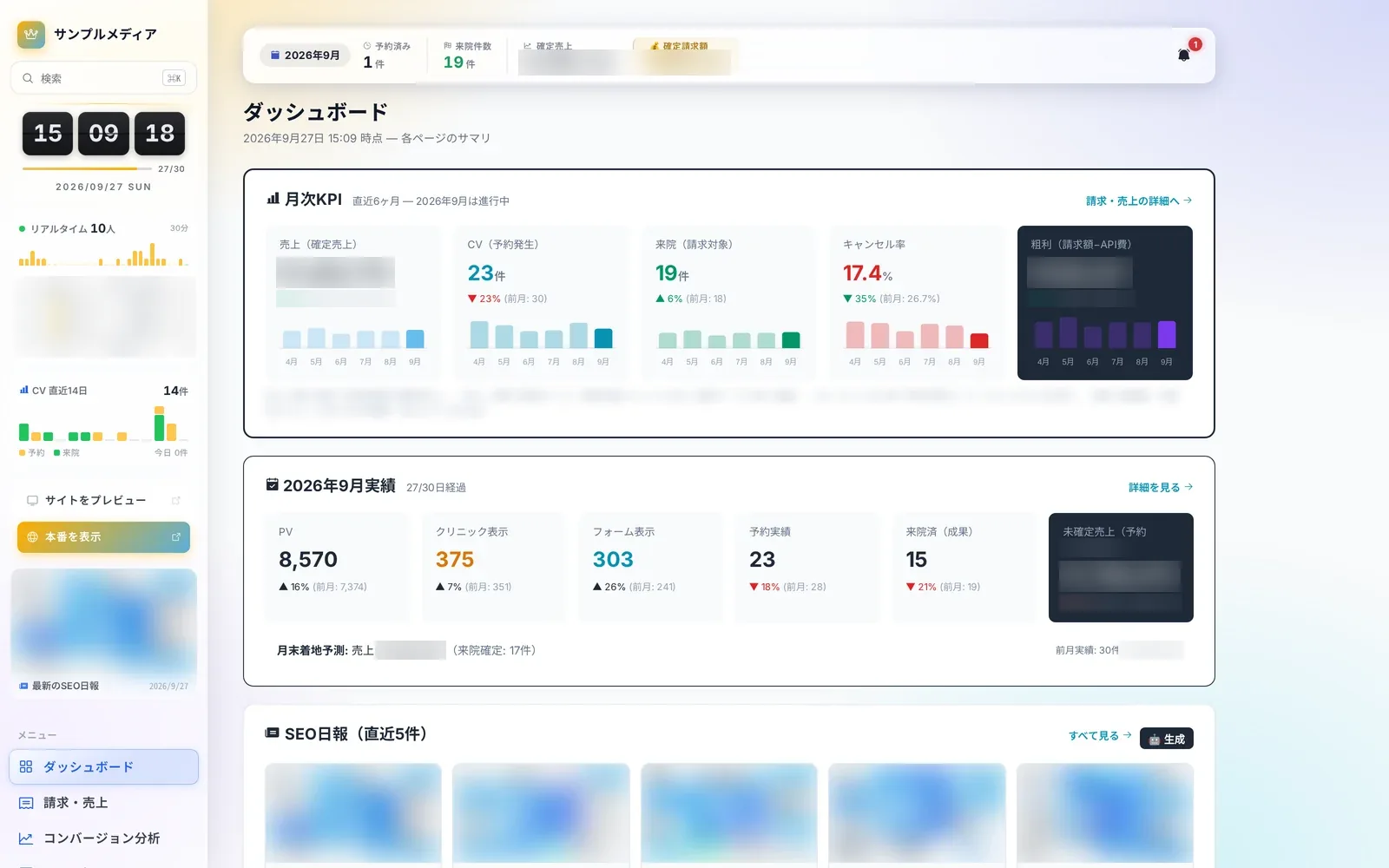 Operations8 screensDaily operationsRun the daily routine with the dashboard, daily SEO reports, task management, review requests, the conversion log and Slack alerts.Learn more
 SEO4 screensSEO and search rankingsRankings, competitors and technical article audits in one place, with a next move for every keyword.Learn more
 AI Visibility4 screensAI visibilityTrack whether major AI assistants recommend and cite you, alongside classic SEO.Learn more
 Analytics7 screensConversion analyticsScreens that track everything from article views through CTAs, landing pages and forms to conversions, by period and by day, to find where readers drop off.Learn more
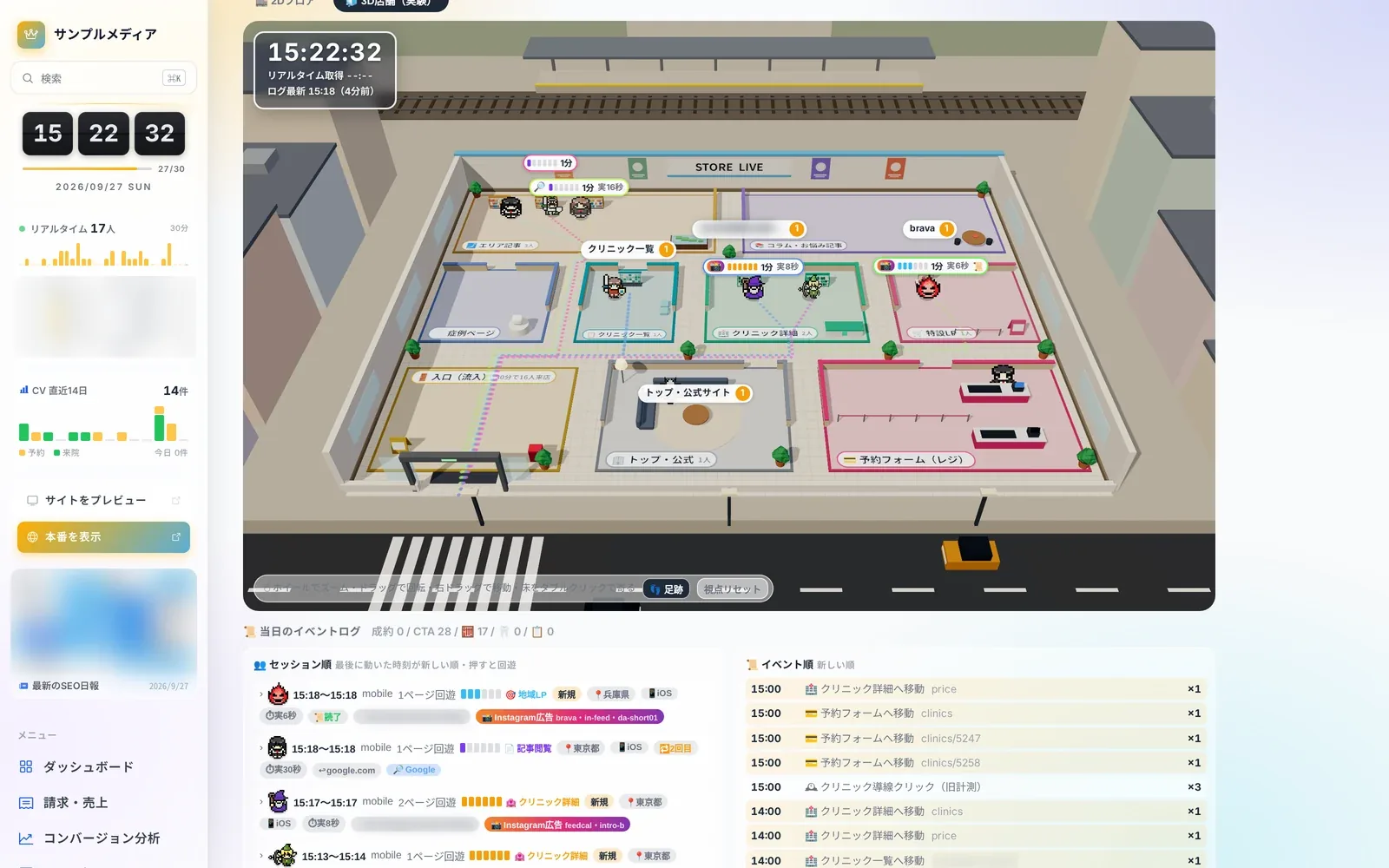 Store Live3 screensStore LiveA view that treats visitors like customers in a shop, showing movement through the site live and in replay.Learn more
 Content Insights8 screensArticle performance and internal linksVisualize which articles are working and how internal links flow, with scores, heatmaps and network graphs.Learn more
 Editor & Assets8 screensArticles and assetsThe production screens, built around reusable parts with variables: the article list and editor, plus images and creatives.Learn more
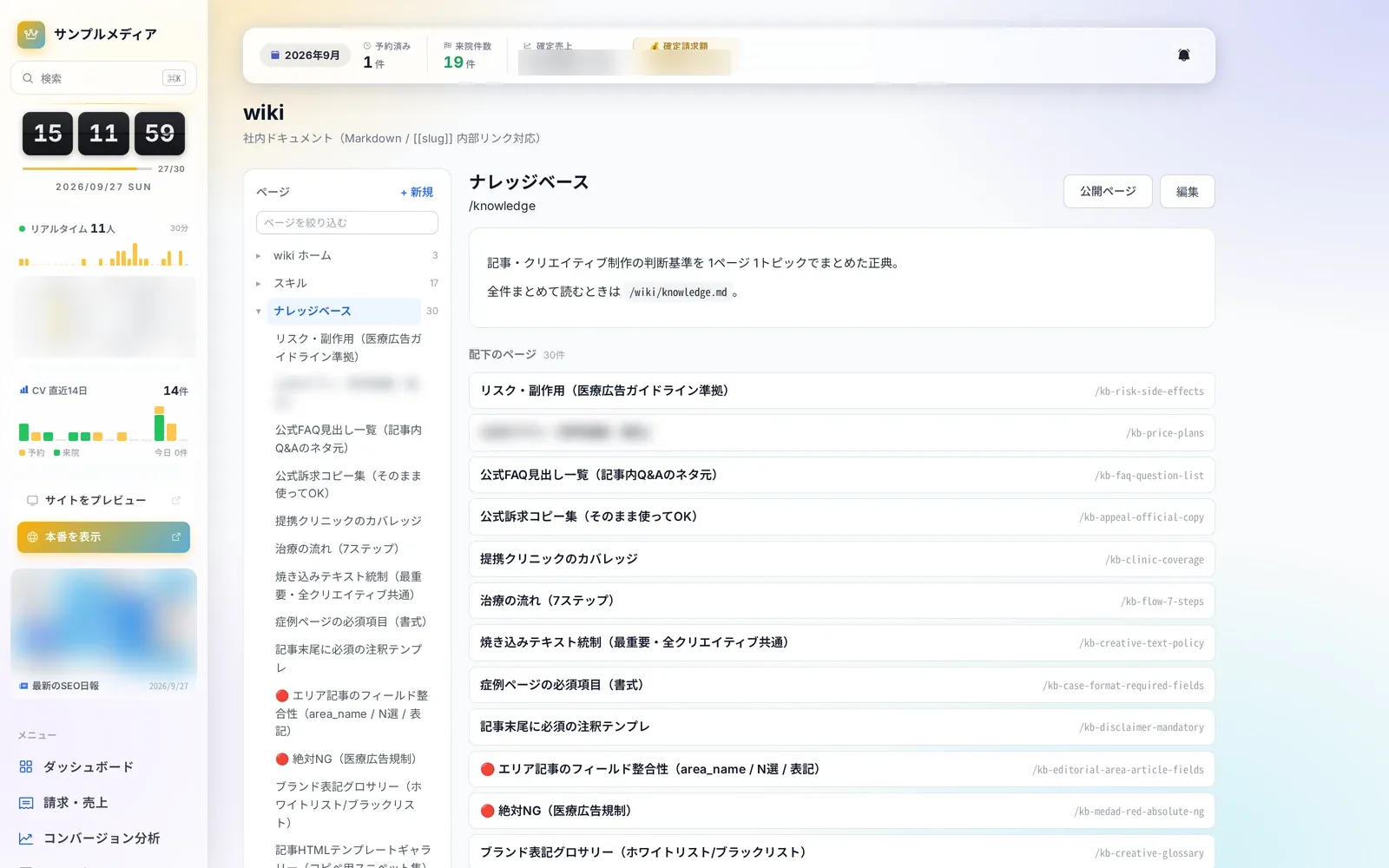 Knowledge4 screensWiki and knowledgeKeep rules, criteria and playbooks in the wiki so people and AI agents refer to the same content.Learn more
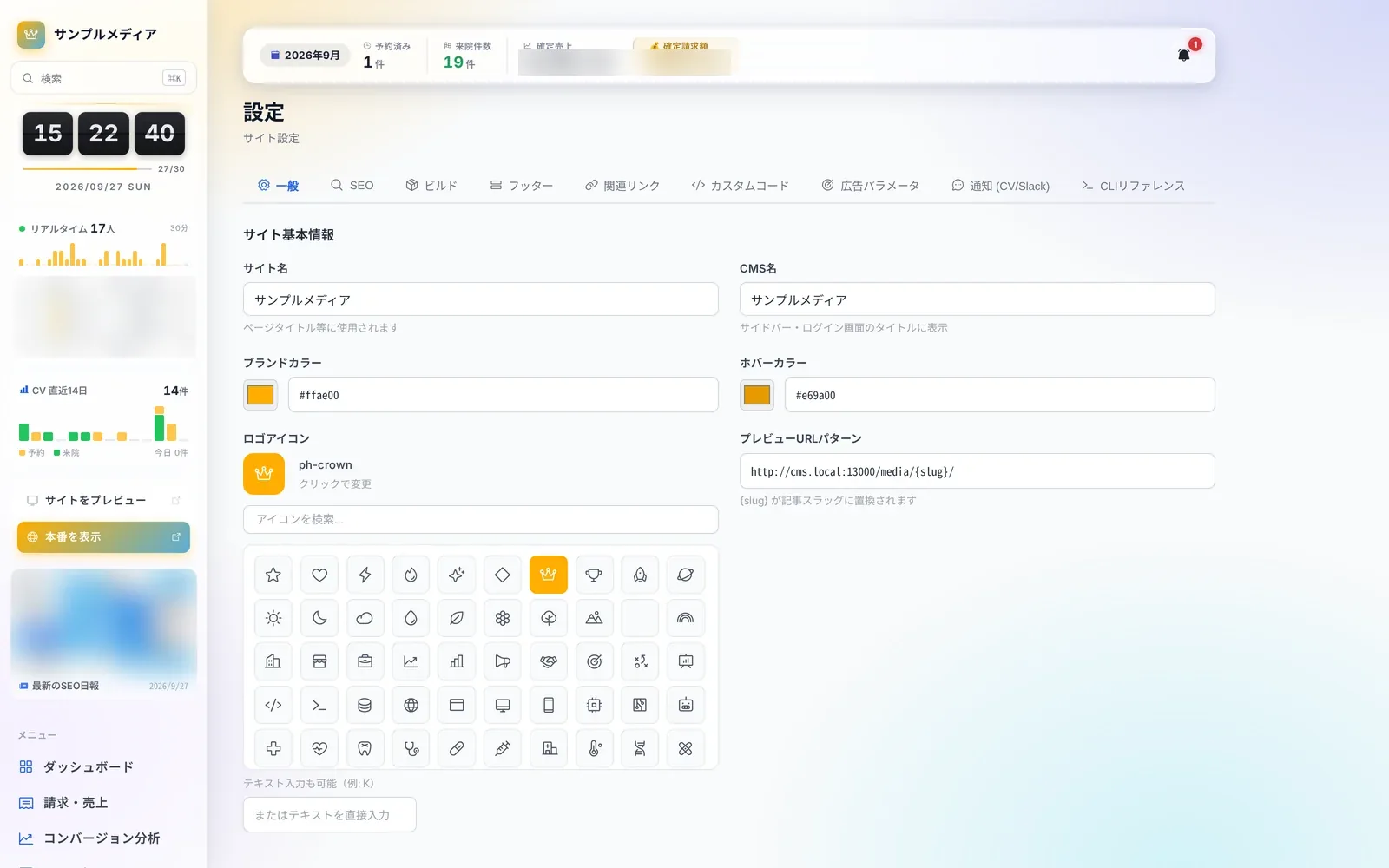 Site Operations10 screensSettings & maintenanceManage the foundations of your operation, from site settings, plugins and redirects to release history, scheduled jobs and backups.Learn more
The documentation walks through the setup process in detail